On many websites, consent to the processing of personal data is implemented as a mandatory checkmark next to the submit form button. The user marks it, and the request is sent, but there may not be a separate mechanism for storing the consent itself.
1C-Bitrix has a standard component for requesting user consent for this task. It is convenient to connect it to the application form instead of a separate self-written logic.
What was the task
It was necessary to add consent to the processing of personal data to the existing application form.
At the same time, it was important not only to output the mandatory checkbox, but to use a single mechanism: to store the text of the agreement in one place, show it to the user and save the fact of acceptance by means of Bitrix itself.
How agreements work in 1C-Bitrix
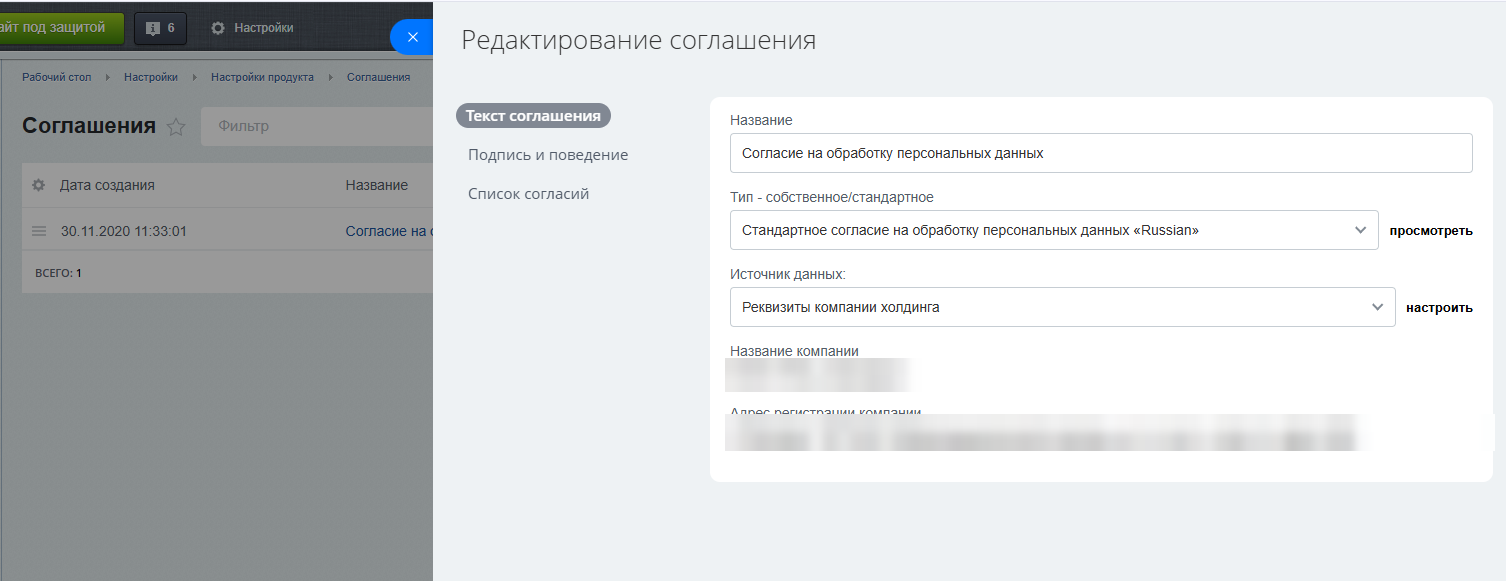
There is a separate section of user agreements in the administrative part of 1C-Bitrix:
/bitrix/admin/agreement_admin.php?lang=ru
The text of the agreement is created and edited in it. Each agreement receives its own identifier, which can then be used in the forms of the site.
This allows you not to copy the same text using templates. Multiple forms can work with a single agreement entry.
Connecting the agreement to the application form
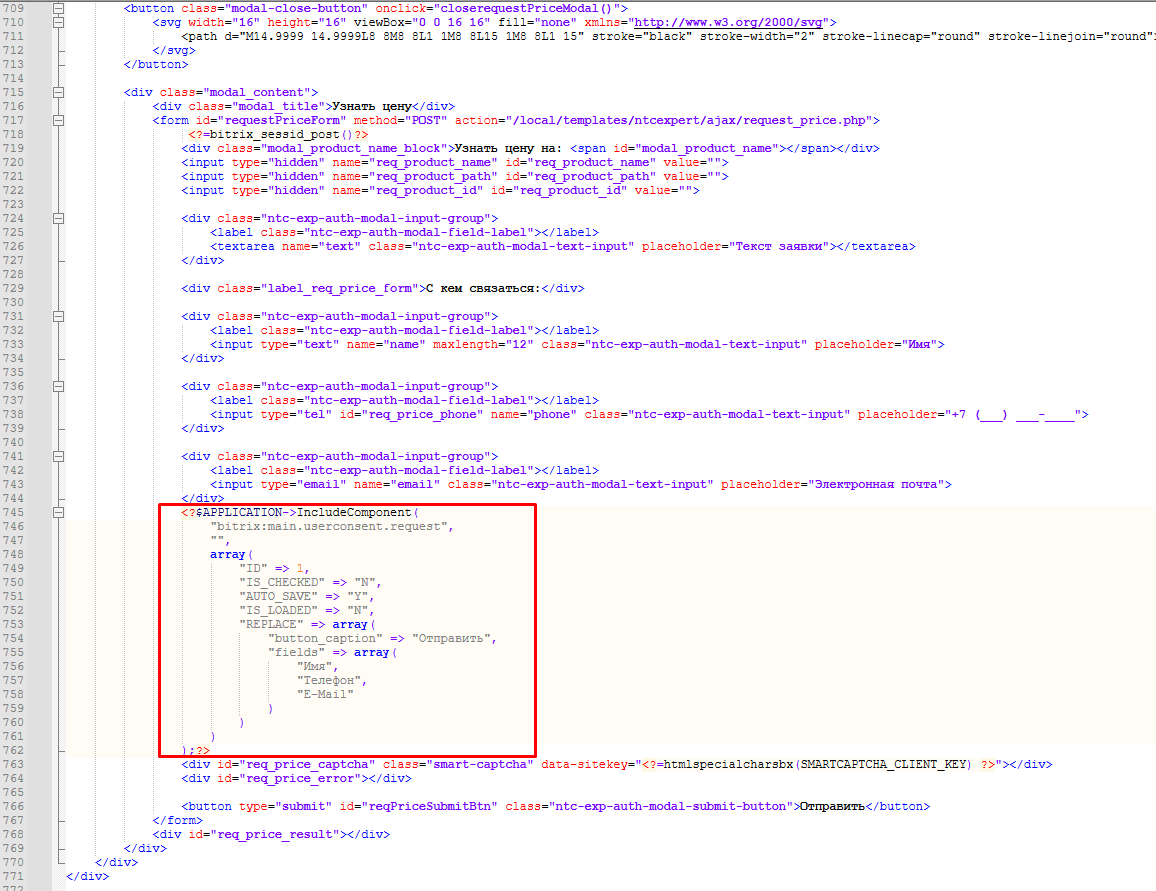
A standard component is used for the form bitrix:main.userconsent.request.
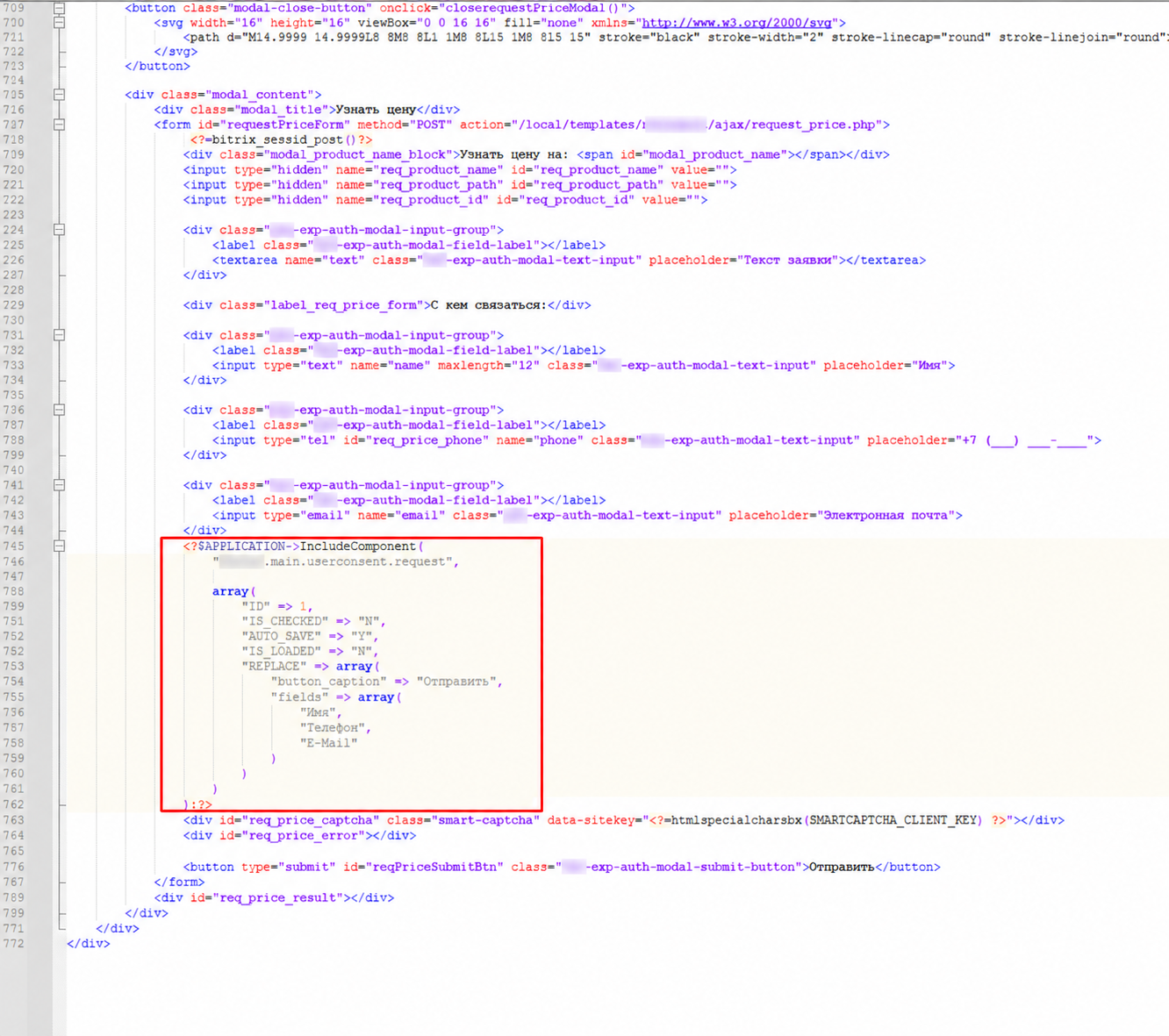
Connection example:
IncludeComponent( "bitrix:main.userconsent.request", "", array( "ID" => $agreementId, "IS_CHECKED" => "N", "AUTO_SAVE" => "Y", "IS_LOADED" => "N", "REPLACE" => array( "button_caption" => "Send", "fields" => array( "Name", "Telephone", "E-Mail" ) ) ) ); ?>In the example $agreementId - a variable to which the identifier of the required agreement from the administrative part is passed in the project.
IS_CHECKED = N This means that the consent is not marked in advance. The user must confirm it on their own.
AUTO_SAVE = Y enables automatic saving of the received consent by means of the component.
IS_LOADED = N allows you not to download the full text of the agreement immediately along with the page.
Through REPLACE You can send data from a specific form, such as the name of the button and a list of fields used in the agreement.
How it works for the user
After enabling the component, a standard block of consent to the processing of personal data appears next to the form.
When the user clicks on the consent text, 1C-Bitrix opens a regular pop-up window with the full text of the document.
The user gets acquainted with the agreement and clicks "I ACCEPT". After that, the modal window closes, and the consent checkmark in the form is set automatically.
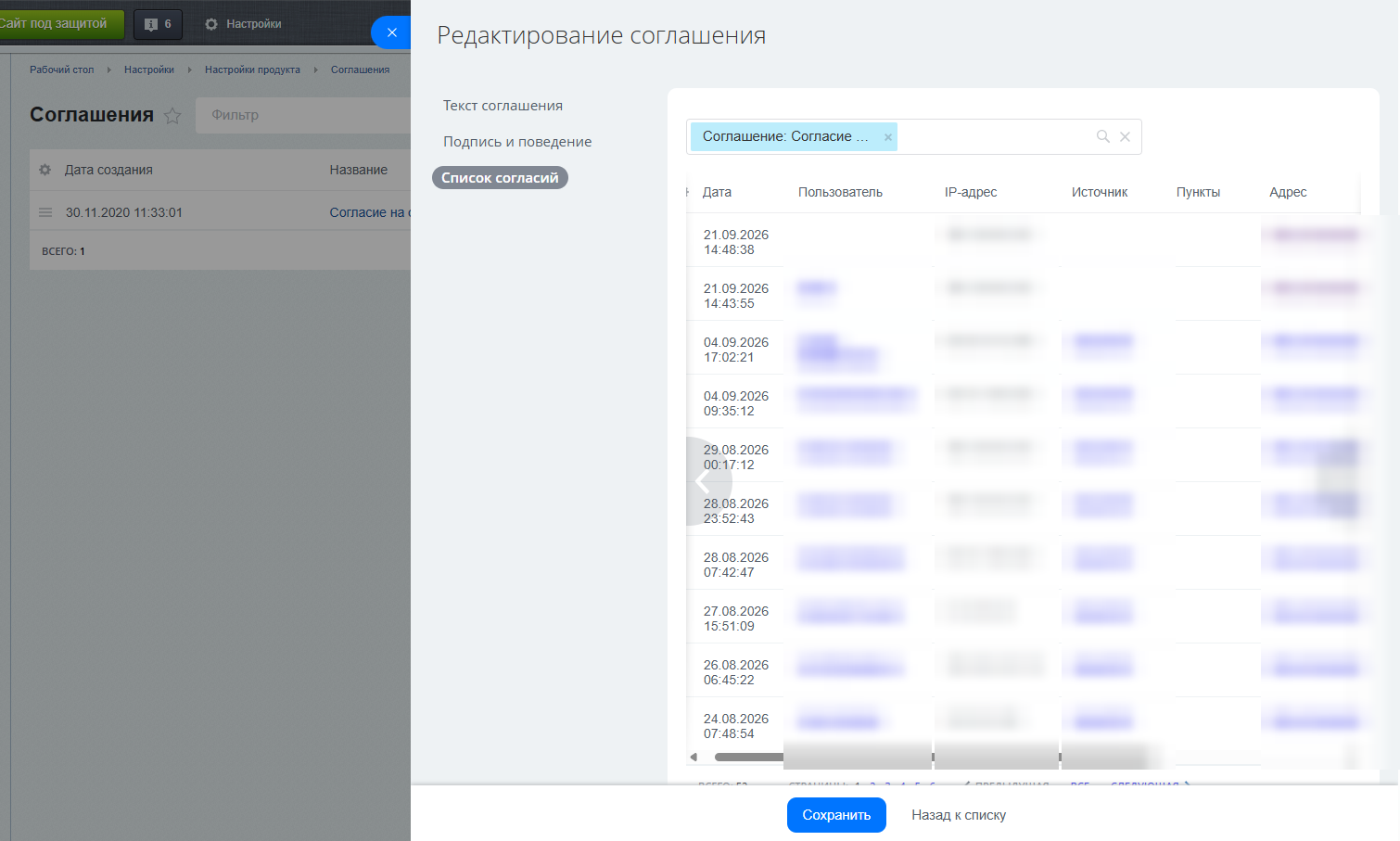
The user then submits the form. When automatic saving is enabled, the fact of consent is recorded using Bitrix tools.
Thus, the standard mechanism already includes:
- consent output next to the form;
- opening the full text in the standard modal window;
- explicit user acceptance;
- automatic checkmark setting after acceptance;
- recording of the consent received in the system.
You don't need to create your own modal window separately, link it to a checkbox, and develop your own consent accounting mechanism.
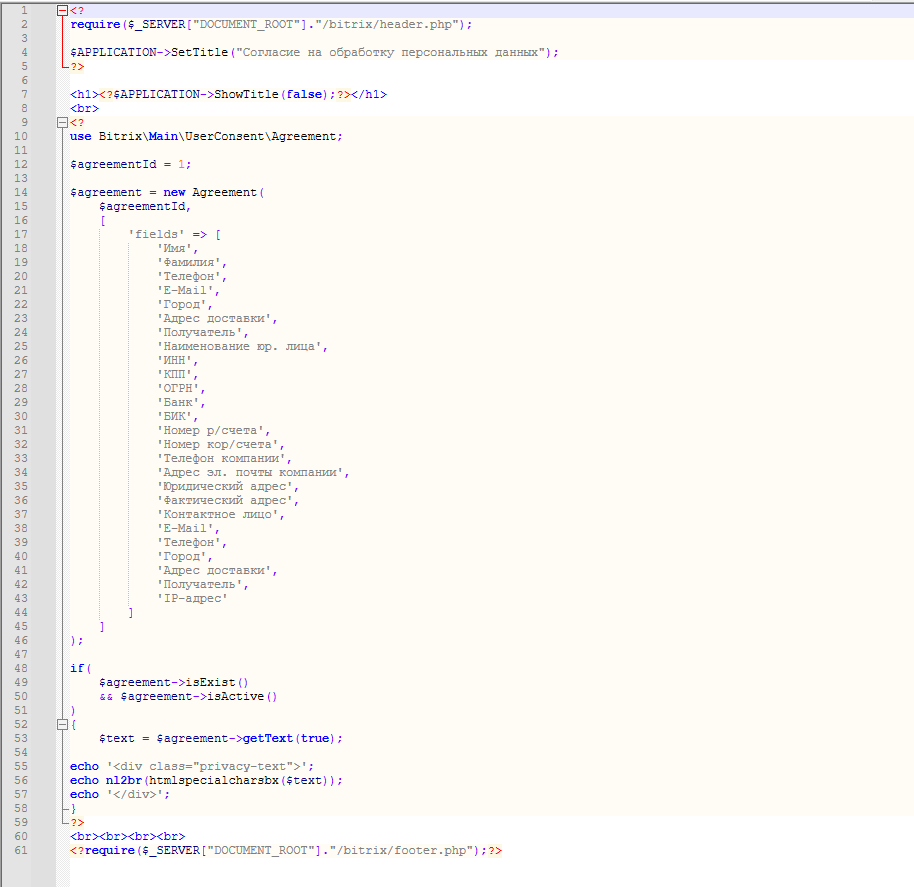
How to display the same agreement on a separate page
The same record of the agreement can be used not only inside the forms. For example, you can create a separate "Consent to the processing of personal data" page on the website and not copy the text of the document into it manually.
A regular class is used to get the text. Bitrix\Main\UserConsent\Agreement.
Output example:
array( "Name", "Telephone", "E-Mail" ) ) ); if ($agreement->isExist() && $agreement->isActive()) { echo $agreement->getHtml(); } ?>The same is used here $agreementId, the same as when connecting the agreement to the form.
If the agreement uses substituted data, for example %fields%, they can be passed when creating an object. Bitrix will generate the final text of the agreement based on these values.
As a result, the public page does not become a second independent copy of the document. The source remains the agreement from the administrative part of the site.
A single source for the form and a separate page
One record of the agreement is used in several scenarios at once.:
bitrix:main.userconsent.requestit works inside the form, shows consent, opens a regular modal window and participates in fixing acceptance;Bitrix\Main\UserConsent\Agreementallows you to get and display the current text on a separate page;- the substituted data can be transferred to the agreement depending on the scenario.
The text does not have to be maintained separately in each form and on each page. All sites on the site use the same agreement from the administrative part of 1C-Bitrix..
What happens in the end
One record of the agreement can be used in application forms, other forms on the website, and on a separate public page with the full text.
At the same time, the obtained consents are recorded using standard 1C-Bitrix tools, and the text of the document itself is maintained centrally.
Value
Instead of a set of disparate checkmarks and copies of the text, a single mechanism is obtained.
The agreement is stored centrally, the forms use one current version of the document, the public page receives the text from the same source, and the fact of acceptance by the user is recorded in the system.
This approach reduces the amount of proprietary logic in the project and helps to organize work with user consent within the framework of personal data processing requirements.