For example, the exchange of orders was incorrect, some of the orders did not get into 1C, although they are on the site.
You can do this by changing the date of the last order exchange in the site settings.
This date is stored in the table
b_option in the form of 2 records.To find these stocks:
1. Go to: Administration > Settings > Performance > Tables
2. In the window that appears, find the table
b_option - open its contents.3. Filter the entries in the table according to the following criteria:
MODULE_ID = sale
NAME = last_%
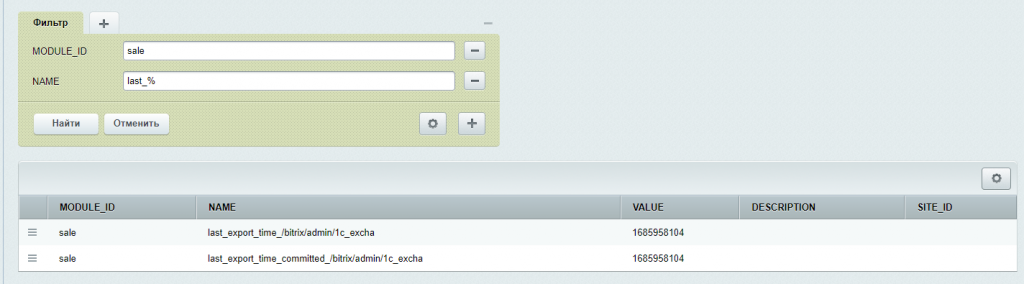
The VALUE field stores the timestamp of the date of the last order exchange. It is necessary to generate a timestamp from the desired date and time and overwrite the VALUE field for the given records. To do this, use the timestamp generation tool.