High CPU usage, website freezes or Bitrix24, and strange behavior of individual interfaces do not always mean performance problems. Sometimes the reason is much more serious - the server may be infected by a miner.
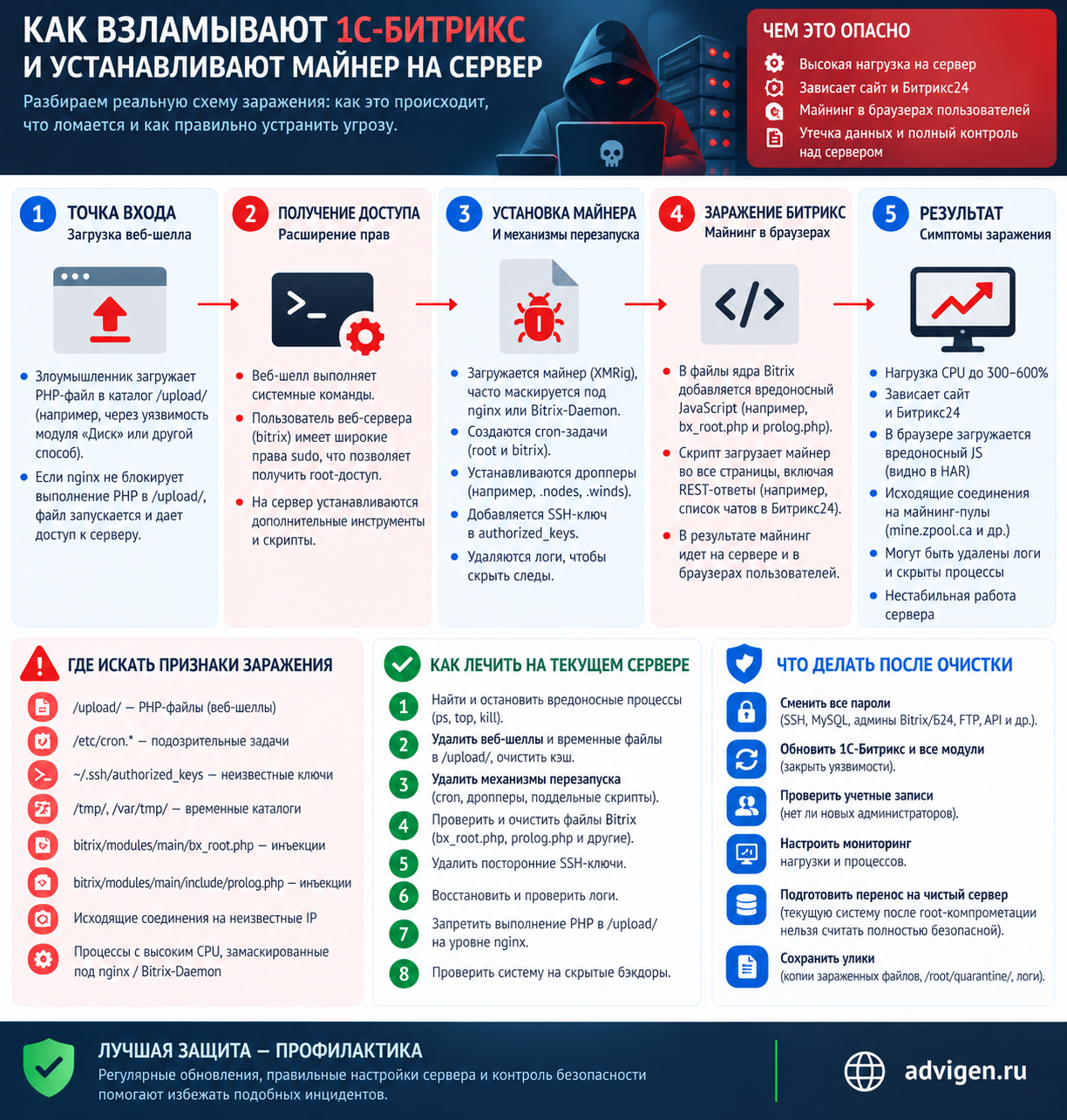
In one of the projects, we encountered exactly such a situation. Diagnostics showed that the infection affected several levels at once: a miner was running on the server, automatic startup mechanisms were created, and malicious JavaScript was additionally embedded in Bitrix pages and REST responses.
Let's look at the signs of such an infection, which parts of 1C-Bitrix and the server should be checked, and why simply deleting the miner process is not enough..
Where does the problem start?
The first noticeable symptom was the abnormal CPU load. Several cores were almost constantly loaded, although the usual work of the project did not create such a load.
At the same time, other signs appeared:
- the site and Bitrix24 periodically crashed;
- some interfaces loaded incorrectly;
- the system had a process with a very high CPU load.;
- the process was disguised as a regular system name.;
- outgoing connections to unknown servers have appeared.
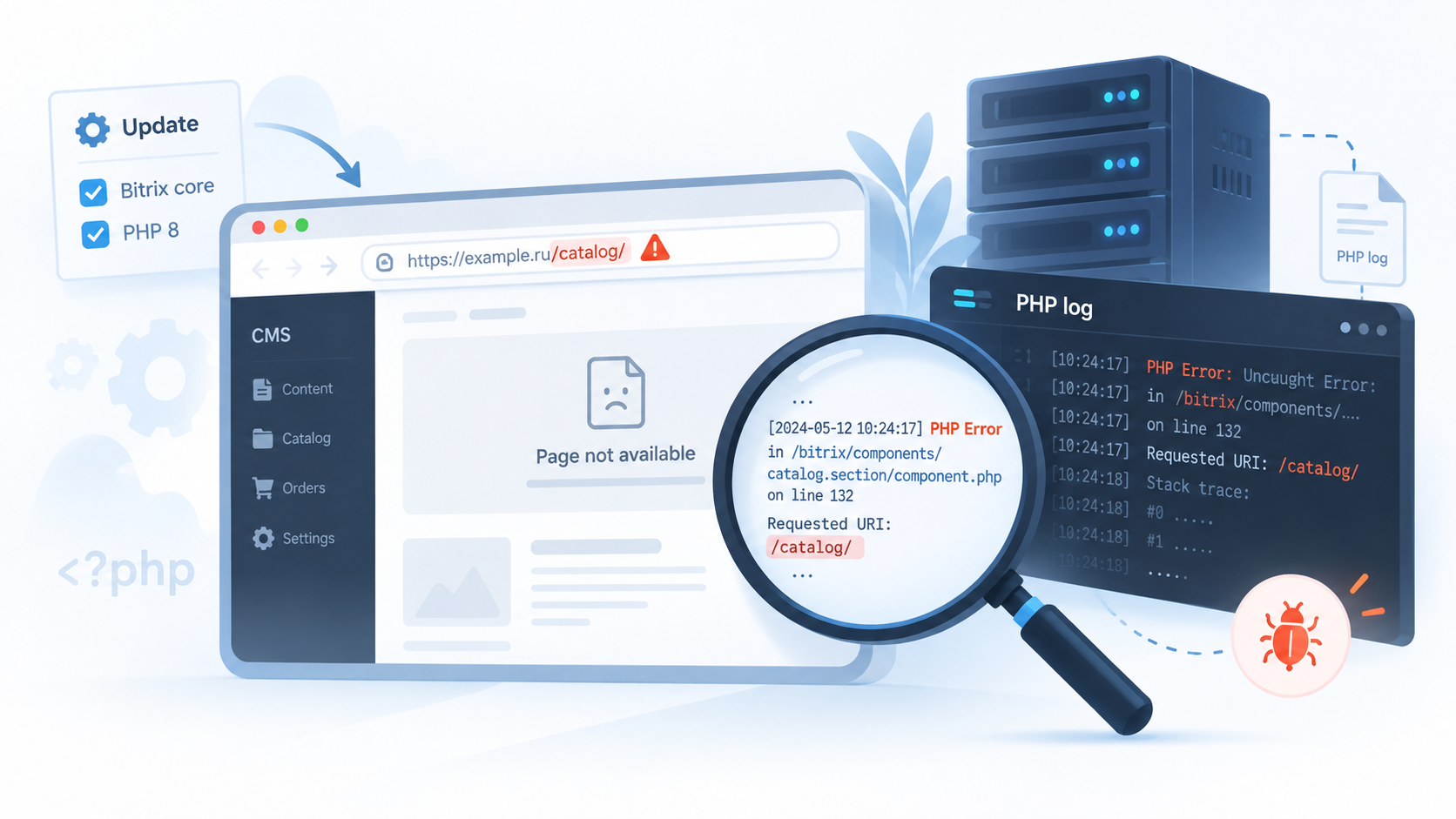
At first glance, this can be mistaken for a problem with PHP, MySQL, nginx, or Bitrix itself. Therefore, when the load changes dramatically, it is important not to limit yourself to optimizing the site, but to see which processes are using the server resources.
How does the miner get to the server
In this case, in the catalog /upload/ there was a PHP web shell.
Just being able to upload a file does not mean that it will be able to be executed. The critical problem was that the nginx configuration allowed PHP to be run inside /upload/.
The following chain turned out:
- A malicious PHP file gets into the download directory.
- The file is accessed via HTTP and executed by the web server.
- Through a web shell, an attacker gets the opportunity to execute commands on the server.
- A miner and additional access mechanisms are being installed.
- Ways are being created to automatically restore the miner after it is stopped.
Therefore, when investigating such incidents, it is important to check not only the malicious process itself, but also how it ended up on the server.
What changes after gaining access
The infection may not be limited to a single executable file. In our case, several mechanisms were used at once.
Miner on the server
The malicious process was launched from a temporary hidden directory and disguised as the usual system processes.
In this case, the file could be deleted from disk after startup, and the process continued to work from memory. Therefore, the usual search for suspicious files does not always show the source of the high load.
Automatic restart
In order for the miner to start up again after stopping, cron tasks and additional dropper scripts were created.
This is an important point: if you just complete the process, it may reappear after a while.
Therefore, it is necessary to check:
- cron root;
- cron of the web server user;
/etc/cron.*;- temporary directories;
- unknown executable files;
- systemd and other autorun mechanisms.
Unauthorized SSH keys
Another way to save access is to add your key to authorized_keys.
After that, an attacker doesn't have to exploit the original vulnerability of the site: access to the server can be maintained separately.
Therefore, after compromise, you need to check the SSH keys of all users with administrative rights.
How 1C-Bitrix itself gets infected
A separate part of the problem was found already inside the Bitrix files.
Malicious JavaScript has been added to the core files that are connected when processing a large number of requests.
As a result, the external script ended up not only in regular HTML pages, but even in REST API responses.
This is a particularly unpleasant scenario: a server miner consumes server resources, and embedded JavaScript can additionally be executed in users' browsers.
Moreover, if JavaScript gets to where the application expects pure JSON, the interface starts to work unstable. The REST method can generate the data correctly, but after the JSON server adds an outsider . This is already an incorrect API response for the browser.
As a result, some parts of Bitrix24 may hang or remain in the loading state, although the REST method itself and the database are working fine..
Which files and directories to check
With such symptoms, we would start checking in several directions at once.
Inside the 1C-Bitrix project:
- PHP files in
/upload/; - temporary download directories;
/bitrix/php_interface/;/local/;- modified kernel files;
- globally pluggable files;
- unknown PHP files in directories where they normally shouldn't be.
At the server level:
/tmp/;/var/tmp/;/dev/shm/;- cron;
- systemd;
- SSH keys;
- active processes;
- outgoing network connections.
A useful feature is a process whose executable file has already been deleted from the disk. On Linux, this process continues to run until it is completed.
Why can't you just delete the miner?
The most dangerous mistake is to find a process with a high load, stop it and consider the problem solved.
The miner is already a consequence.
If you leave a web shell, cron task, SSH key, or other access mechanism, the malicious process can be started again.
Therefore, cleaning should be carried out as a chain.:
- Stop malicious processes.
- Find and remove automatic startup mechanisms.
- Check cron, systemd and SSH.
- Find and delete web shells.
- Recover infected Bitrix files.
- Check temporary directories.
- Check outgoing connections.
- Close the original entry point.
Only after that can we say that the direct infection has been stopped.
How to close PHP execution in /upload/
For 1C-Bitrix catalog /upload/ It is intended for user and service files, but the execution of downloaded PHP scripts is usually not required there.
Therefore, an additional protection is the prohibition of executing PHP and other potentially executable files inside /upload/ at the web server level.
In our case, the corresponding restriction was added to nginx.
This is fundamentally different from simply deleting a found web shell: even if a similar PHP file somehow ends up in the /upload/, the web server should not execute it.
However, such configuration changes must be tested on a specific project to ensure that legitimate components and integrations do not malfunction.
What to do after cleaning
Even if the load has returned to normal and the malicious processes no longer appear, the work does not end there.
After an attacker gets extended access, the credentials used on the server should be considered potentially compromised.
The next stage includes:
- changing SSH passwords and keys;
- changing administrative access rights;
- changing passwords to databases;
- checking FTP and other access methods;
- revision of API keys and integrations;
- checking the administrators of Bitrix and Bitrix24;
- updating 1C-Bitrix and installed modules;
- configure load monitoring and suspicious processes.
Separately, it is important to deal with the vulnerability that made it possible to download or execute a web shell. The very fact that a file is found in a specific directory does not prove a specific vulnerability of the module - the initial download method must be confirmed separately.
Why is it worth preparing a new server after root compromise?
There is another fundamental question: is it possible to continue to fully trust the existing operating system after such a cleanup?
If an attacker gained root access, he could potentially change not only the site's files, but also system components, configuration, users, services, or logs.
You can check the most obvious mechanisms. But it is much more difficult to guarantee the absence of an unknown bookmark.
Therefore, after the project is stabilized, the next reasonable step is to prepare a clean server and transfer the project to a newly installed environment.
With such a transfer, it is important not to copy the old system entirely. The verified project data, database, and necessary custom code must be transferred to the new server. It is better to deploy the system environment anew, and additionally check the kernel files and portable code.
What happened
After cleaning, the malicious processes were stopped, injections from Bitrix files were removed, the automatic startup mechanisms were disabled, unauthorized access was removed, and PHP execution in the download directory was prohibited.
As a result, the server load has returned to normal and extraneous JavaScript has stopped being embedded in pages and REST responses.
But the main result of such work is not that it was possible to complete the process with a high load. It was important to restore the entire infection chain and close the mechanism that allowed malicious code to run on the server.
Value
For businesses, server infection is not just a matter of workload or technical security.
A miner can slow down the site, interfere with the work of employees at Bitrix24, create additional load on users' computers and mean unauthorized access to the company's infrastructure.
Therefore, the task of diagnostics is not just to return the CPU to normal load, but to understand the scale of compromise, restore the normal operation of the systems, close the entry point and determine whether the existing server can be trusted further.
Conclusion
If the 1C-Bitrix server suddenly starts consuming significantly more resources, and the site or Bitrix24 are unstable, it's worth checking not only the performance of PHP, MySQL, and components.
High workload may be just the first noticeable symptom of a more serious problem.
The correct sequence in this case is to find the malicious process, determine its launch mechanisms, check the Bitrix files and accesses, find the entry point, close it, change the compromised credentials, and after a serious compromise, prepare the transfer to a clean environment.
Infection diagnostics should not only return the site and Bitrix24 to normal operation, but also find the entry point, close the mechanisms for re-launching malicious code, and determine whether the existing infrastructure can be trusted further..